Whether you are a developer stress-testing a checkout form, a QA engineer populating a database, or simply someone who wants to protect their real information when signing up for an unfamiliar website, a random address generator is the fastest and safest solution. This comprehensive guide walks you through everything you need to know — what these tools are, how they work, where to use them, and how to pick the best one for your needs.
By the end of this article, you will understand not just how to generate a fake address in seconds, but why this practice is perfectly legal, widely used by professionals, and an essential part of modern software development and data privacy.
What Is a Random Address Generator?
A random address generator is an online tool that automatically creates realistic-looking but completely fictional mailing addresses. These addresses follow the correct structural format of a real country — including a street number, street name, city, state or province, ZIP or postal code, and country — but they do not correspond to any actual location or person.
Think of it as a data fabrication engine. It pulls from curated lists of real street names, city names, and postal code patterns, shuffles them algorithmically, and produces something like:
4821 Elmwood Drive, Austin, TX 78701, United States
That address looks real. It even follows correct US postal formatting. But if you tried to send a letter there, you would have no guarantee it reaches any real mailbox — and that is exactly the point.
📍 AddrGenie Multi 🌐 Live API · Batch Mode
Generate multiple realistic addresses from Random User API — choose quantity & country
How Does a Random Address Generator Work?
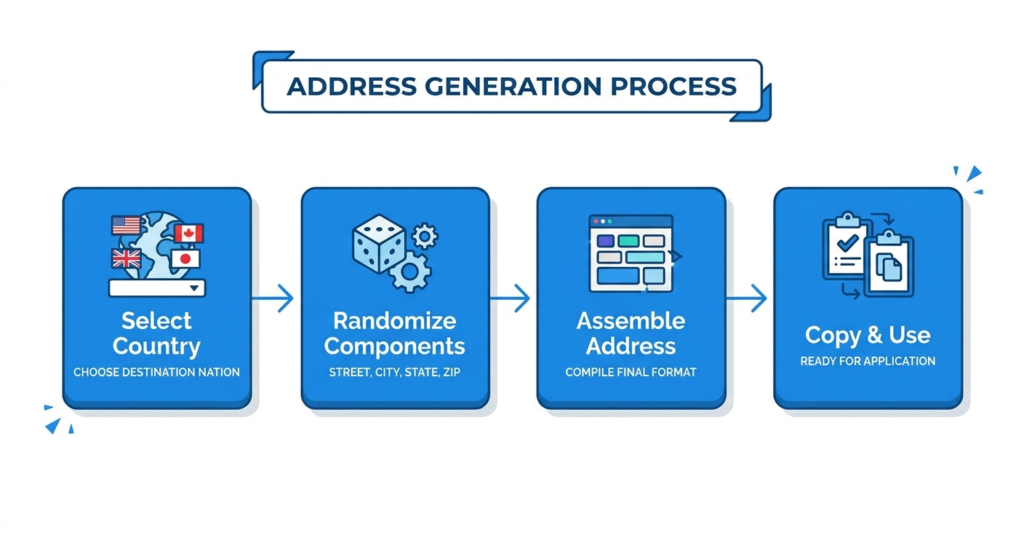
Modern random address generators use a combination of algorithmic randomness and pre-built geographic data libraries. Here is a step-by-step breakdown of the process:
1. Country Format Detection
The tool first loads format rules for the selected country. A US address follows the pattern: [Number] [Street Name], [City], [State Abbreviation] [5-digit ZIP]. A UK address uses a completely different structure with alphanumeric postcodes like ‘SW1A 2AA’. The generator knows these differences and applies them automatically.
2. Component Randomization
Each part of the address is chosen independently from data pools — street numbers are generated numerically within realistic ranges, street names are drawn from large name libraries (Oak, Maple, Main, etc.), and cities are selected from verified city lists for that country or state.
3. Data Assembly
The randomly selected components are stitched together in the correct order for the target country, complete with proper punctuation, spacing, and capitalization. The result is a syntactically valid address that any form field or database column will accept without error.
4. Format Validation
Better tools include a validation pass that ensures the output makes structural sense — for example, that a US ZIP code contains exactly five digits, or that a UK postcode follows the letter-number pattern. This is syntax checking only; the address is not queried against live postal databases.
10 Real-World Use Cases for a Random Address Generator
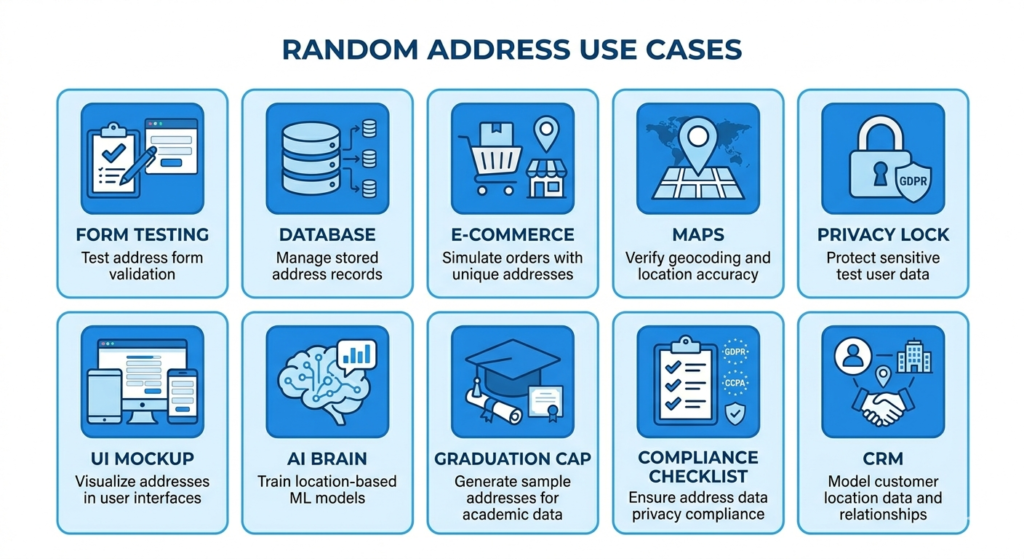
The popularity of these tools is not accidental. Across industries, professionals and everyday users rely on fake address generators for a surprisingly wide range of legitimate purposes.
- Form & UI Testing: Software developers need realistic test data to populate forms, user profiles, and checkout flows during development. A random address lets them build without touching real customer data.
- Database Population & Load Testing: QA teams inject thousands of addresses into databases to run load tests and verify that systems handle edge cases — long street names, unusual ZIP codes, international formats.
- E-commerce Checkout Simulation: E-commerce platforms test their shipping calculators, tax engines, and delivery zone logic using addresses from different states and countries.
- Location-Based App Testing: Location-based apps — mapping services, delivery platforms, ride-hailing apps — use synthetic addresses to test routing algorithms and geofencing logic without exposing real users.
- Protecting Personal Privacy Online: When exploring a new website that asks for your home address before you trust it, entering a random fake address keeps your real information private.
- UI/UX Prototyping & Mockups: UX designers populate mockups and prototypes with realistic-looking data so stakeholders can visualize how the final product will look with real content.
- Machine Learning & AI Training Data: Training datasets for machine learning models that handle address parsing, geocoding, or natural language processing require large volumes of diverse addresses.
- Education & Developer Training: Academic institutions and bootcamps teach address validation, database design, and API integration using synthetic data that mirrors real-world complexity.
- Compliance & Privacy Audits: Businesses running compliance audits on their data systems use fake addresses to test processes without risking exposure of actual customer records.
- CRM & Marketing Automation Testing: Marketing teams often test email automation, CRM integrations, or segmentation logic using fictional user profiles that include fake addresses.
Key Features to Look for in a Random Address Generator
Not all address generators are created equal. Here is what separates a truly useful tool from a basic one:
Multi-Country Support
The best tools generate addresses for dozens or even hundreds of countries. If your app serves a global audience, you need generators that understand UK postcodes, Canadian provinces, Australian states, German Bundesländer, and Japanese prefecture formats — not just US ZIP codes.
State and City Filtering
Some generators let you narrow the output to a specific US state, city, or ZIP code range. This is essential for testing region-specific logic like state tax rules or delivery zone restrictions.
Bulk Generation
Generating one address manually is fine. But if you need to seed a database with 500 fake user records, you need a tool that lets you specify a quantity and export all results at once. Look for tools that support batch generation and CSV export.
Additional Fields
Advanced generators include phone numbers, coordinates (latitude and longitude), time zones, and even full identity data (names, emails) alongside the address. This makes them useful for creating complete mock user profiles in a single operation.
API Access
Developer-focused tools offer API endpoints so you can programmatically request random addresses within your code, CI/CD pipeline, or automated test suite — without ever visiting a webpage manually.
No Registration Required
The best free tools require zero signup. You should be able to open the page, generate an address, and copy it in under 10 seconds.
Is Using a Random Address Generator Legal and Ethical?
This is one of the most common questions people have — and the answer is yes, when used appropriately.
Generating and using a fake address for software testing, privacy protection when exploring untrusted websites, filling out non-binding forms, or creating demo data is entirely legal. These tools produce fictional data that resembles real addresses in format only. No real person’s data is used, collected, or exposed.
However, there are important ethical and legal lines you must never cross:
- Never use a fake address to commit fraud — for example, to deceive a business about your shipping location in a way that causes financial harm.
- Do not use fake addresses to bypass legitimate Know Your Customer (KYC) or identity verification processes that exist for legal compliance.
- Avoid using fake addresses to misrepresent your location to gain access to geo-restricted content in violation of a service’s terms of use.
- Never submit fake addresses to government agencies, courts, or official institutions where accurate information is required by law.
As long as you stay within those boundaries — testing, prototyping, privacy protection, and data generation — random address generators are safe, legal, and highly beneficial tools.
For more information on data privacy best practices, visit the International Association of Privacy Professionals (IAPP).
How to Use a Random Address Generator: Step-by-Step
Using any reputable random address generator takes less than a minute. Here is the general process across most tools:
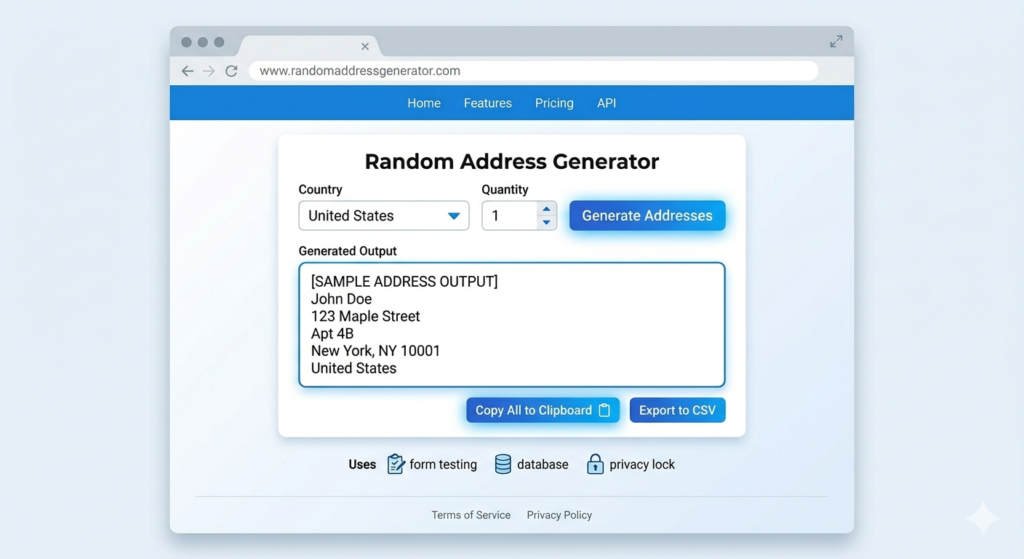
- Open your preferred random address generator in any browser — no installation required.
- Select your target country from the dropdown menu. For US-specific testing, you may also filter by state or city.
- Enter the number of addresses you need. For simple testing, one or two may suffice. For database seeding, enter a higher quantity.
- Click the ‘Generate’ or ‘Refresh’ button.
- Review the output. You will typically see a full address with street number and name, city, state/province, ZIP or postal code, and country.
- Copy the address(es) and paste them into your form, database, spreadsheet, test script, or wherever you need them.
Random Address Generators and Data Privacy
One of the most compelling use cases for everyday users — not just developers — is privacy protection. In an era of data breaches, aggressive marketing, and invasive data collection, providing your real home address to every website that asks for it is a significant privacy risk.
When a website requires an address before you can access a free download, sign up for a trial, or read an article, entering a randomly generated fake address is a pragmatic way to protect yourself. You share no real data, the website receives the formatted input it expects, and you have not lied about anything that matters legally.
According to research by the Pew Research Center, the vast majority of Americans feel they have little control over their personal data. Tools like random address generators are one small but practical way to reclaim some of that control.
For developers, the privacy angle runs even deeper. Data protection regulations like the GDPR in Europe and the CCPA in California impose serious restrictions on using real user data in test environments. A random address generator allows development and QA teams to work with realistic data while remaining fully compliant with these regulations — no anonymization processes, data minimization strategies, or legal sign-offs required.
Frequently Asked Questions About Random Address Generators
No. Random addresses are syntactically formatted to look real but are not verified against any postal database. They follow correct address structure for the selected country, but the combination of street, city, and ZIP code may not correspond to an actual physical location.
You can use a fake address for non-binding sign-ups or free trials where no real-world transaction is involved. However, if the website requires your address for legitimate purposes like shipping a physical product or verifying your legal identity, providing a fake address may violate the site’s terms of service.
The best tools — like Testsigma — support 130+ countries. More basic tools focus primarily on the United States. If you need international addresses, choose a tool that explicitly lists global country support.
Yes. All the tools mentioned in this article are completely free to use with no registration required. There is no reason to pay for a basic random address generator.
Many tools allow you to specify a quantity — some let you generate hundreds of addresses at once, while others limit output to smaller batches. For very large datasets, developer-focused API-based generators are the most efficient option.
Reputable tools do not store or log generated addresses. The generation happens client-side or server-side without data retention. Always check the privacy policy of any tool you use, especially in a professional or enterprise context.

Best Practices for Using Fake Address Generators in Development
To get the most value from random address generators in a professional software context, follow these best practices:
- Test Multi-Country Formats: Generate diverse international addresses to test your address parsing and validation logic across multiple formats, not just one country.
- Use Tools That Include Coordinates: If your application depends on real geolocation data (like calculating shipping costs or verifying delivery zones), use a tool that outputs latitude and longitude alongside the address.
- Automate With APIs: Generate addresses systematically using the API endpoint rather than copy-pasting manually from a web UI. This scales easily for automated test pipelines.
- Pair With Other Data Generators: Combine address generators with name generators, email generators, and phone number generators to create fully realistic user personas for end-to-end testing.
- Label Synthetic Data Clearly: Clearly label any dataset containing fake addresses so team members do not accidentally use synthetic data in production environments.
- Always Validate in Your Own System: Even synthetic addresses can behave unexpectedly in production systems. Run addresses through your application’s own validation logic — not just postal verification — to catch edge cases before release.
Conclusion: Why a Random Address Generator Belongs in Your Toolkit
A random address generator is one of the most underrated tools in the modern developer’s and privacy-conscious user’s arsenal. For developers and QA professionals, it eliminates the legal and ethical risks of using real customer data in testing, accelerates database seeding, and enables thorough validation of address-handling logic across global formats. For everyday users, it provides a simple, practical layer of privacy protection against over-reaching data collection.
The best tools are completely free, require no account creation, and produce results in seconds. Whether you need one US address for a quick form test or five hundred international addresses to seed a staging database, the right random address generator will handle the job effortlessly.
Start generating realistic fake addresses today — and spend your time building great products, not managing privacy risks or manually typing test data.